Before you start
Windows 8 keeps default app choices in PC Settings. Installing codecs can add playback support, but Windows may still use a different app until the video or music default is changed manually.
This page is kept as a legacy support guide for older systems. The steps are intended for Windows 8 and Windows 8.1, not newer Windows Settings screens.
Step 1
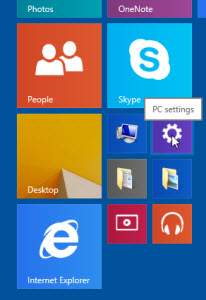
Open PC Settings
From the tiled Start screen, open PC Settings.
Step 2
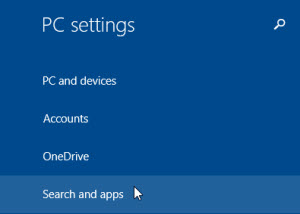
Open Search and apps
In PC Settings, choose Search and apps.
Step 3
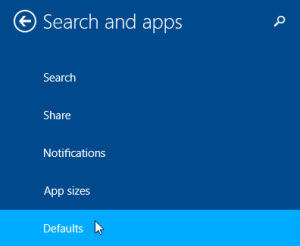
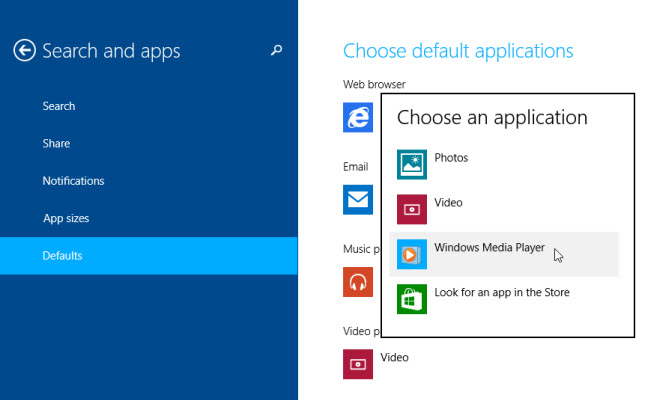
Choose Defaults
Select Defaults from the Search and apps section.
Step 4
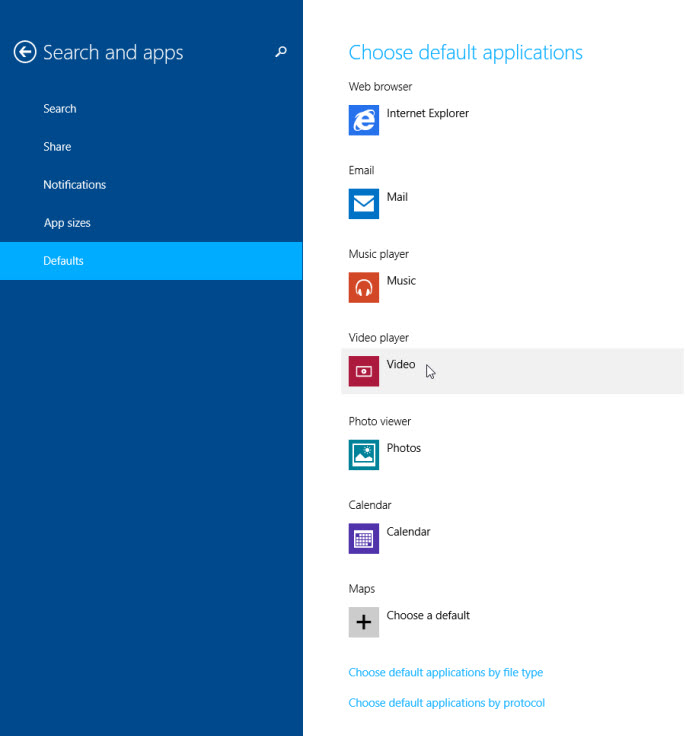
Change the video default
Under Choose default applications, select the current app shown for Video.
Step 5
Select Windows Media Player
Choose Windows Media Player to make it the default app for supported video files.
Audio defaults
To change music playback instead, choose Music rather than Video in the Defaults screen, then select Windows Media Player or your preferred audio player.
Common questions
Does changing the Windows 8 default player add codec support?
No. It only changes which application opens media files. The selected player still needs suitable codec support for the video, audio and container used by the file.
Can Windows 8.1 use the same steps?
Yes. Windows 8.1 uses the same general Default apps area, although some labels and screen layouts may vary slightly by update level.
Why does a video open but play with no sound?
The video portion may be supported while the audio stream is not. AC3, DTS, AAC or other audio streams may need additional playback support depending on the player.